
How to Find Your TradingView Username
Your TradingView Username is the unique username connected to your TradingView account.
You can find your TradingView Username using either of the two methods below.
Please follow the instructions below to make sure you provide the correct username.
Method 1: If You’re Still Setting Up Your TradingView Account
If you have recently created a TradingView account and are still completing the setup, TradingView will ask you to create a username.
Step 1: Find the Username Field
When you reach the “Almost there” screen, look for the field labelled
Username.
Enter the username you would like to use for your TradingView account.
The username you enter in this field is your TradingView Username.

Method 2: If You Already Have a TradingView Account
If your TradingView account is already set up, you can easily find your username from your account menu.
Step 1: Click Your Profile Icon
Log in to your TradingView account.
On the TradingView website, look at the top-right corner of the page.
Click your profile icon or profile picture.
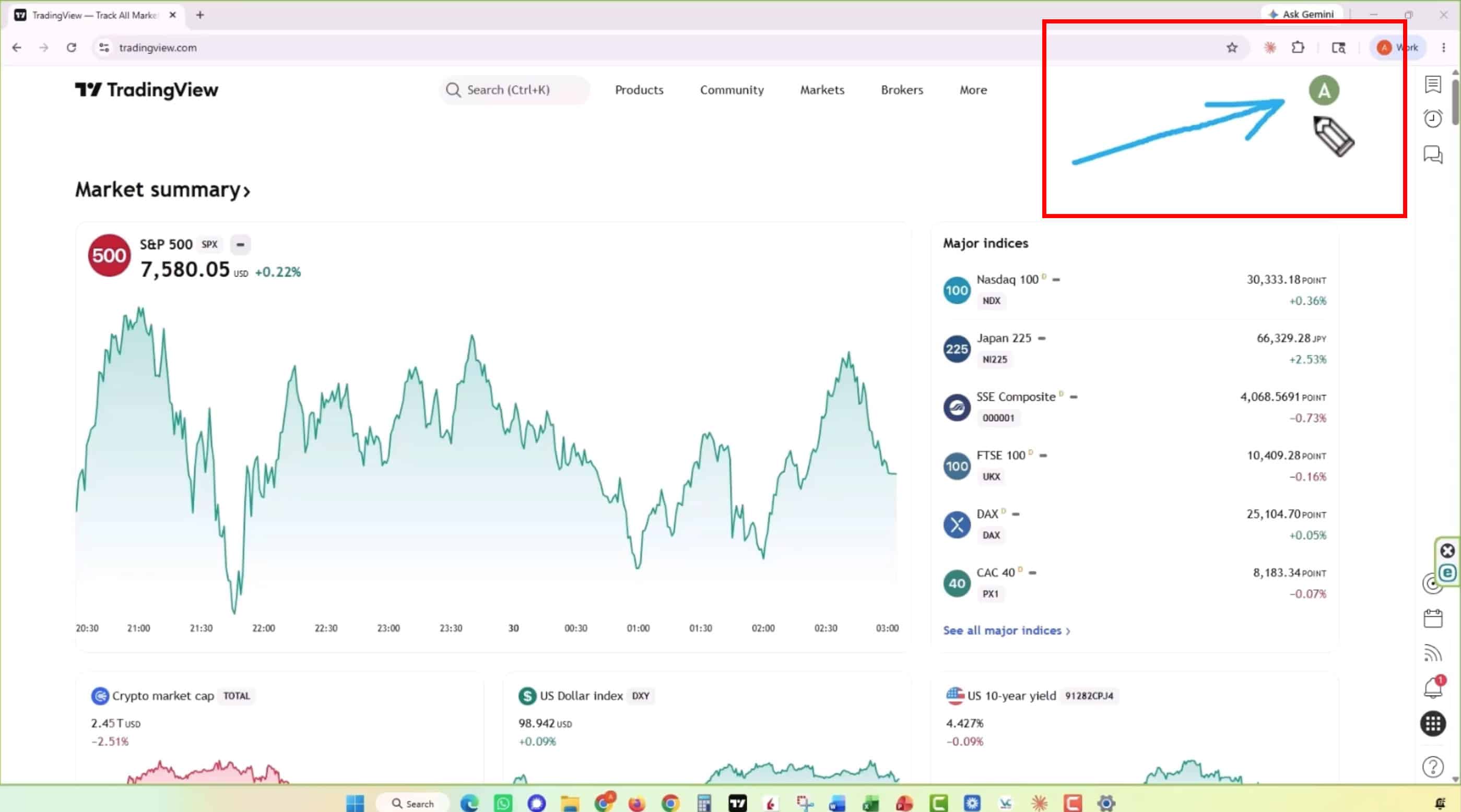
Step 2: Find Your TradingView Username
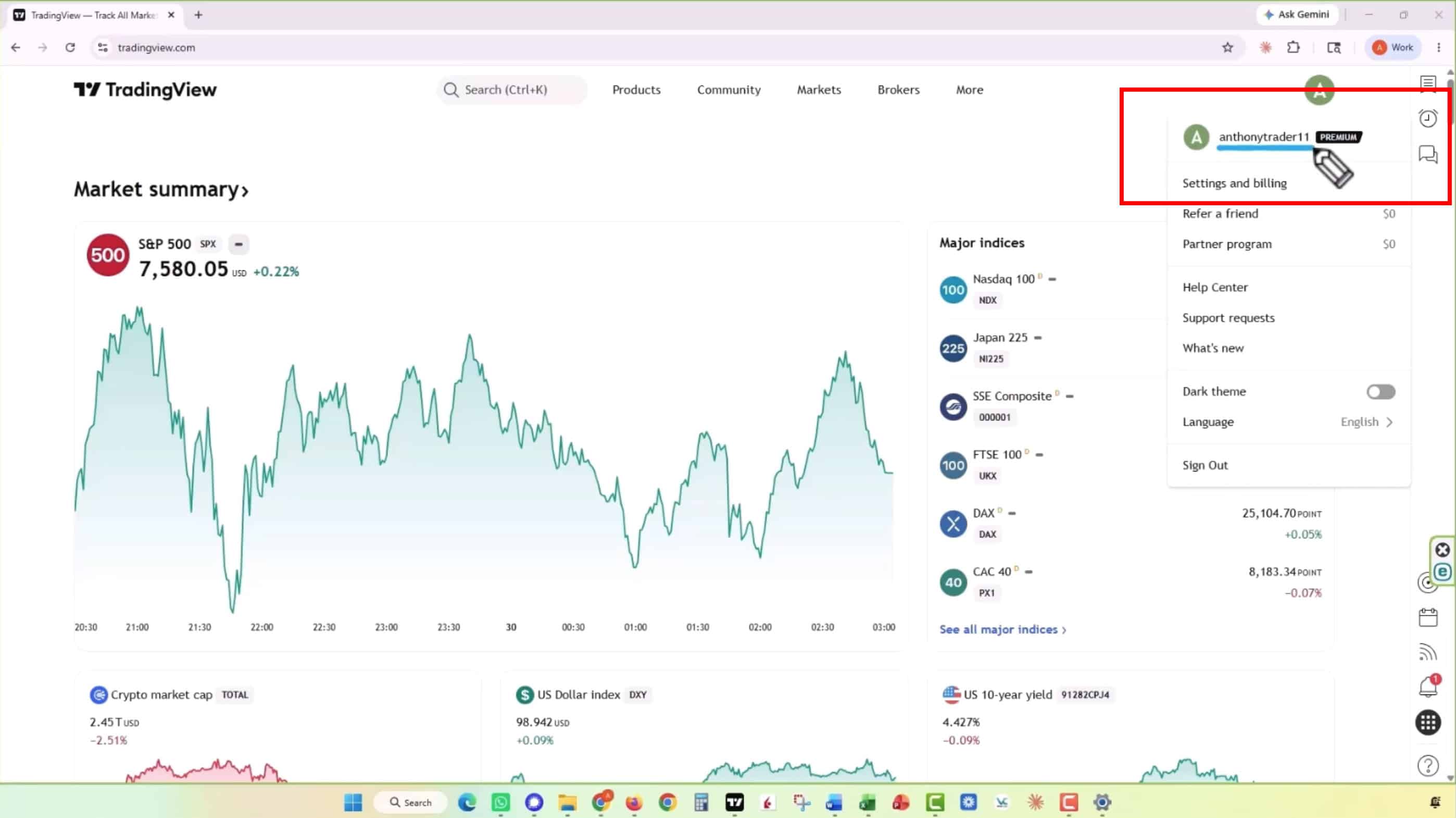
After clicking your profile icon, a menu will appear.
Your TradingView Username is displayed at the
top of this menu next to your profile icon.
Copy this username exactly as it appears.
Before You Submit Your Username
Please make sure you are providing your TradingView Username, not:
- Your email address
- Your password
- Your full name
Copy your TradingView Username exactly as it appears in your TradingView account.